Reading the Passenger Dashboard
The passenger view below displays the DISTANCE gauge and the six directional turn buttons.
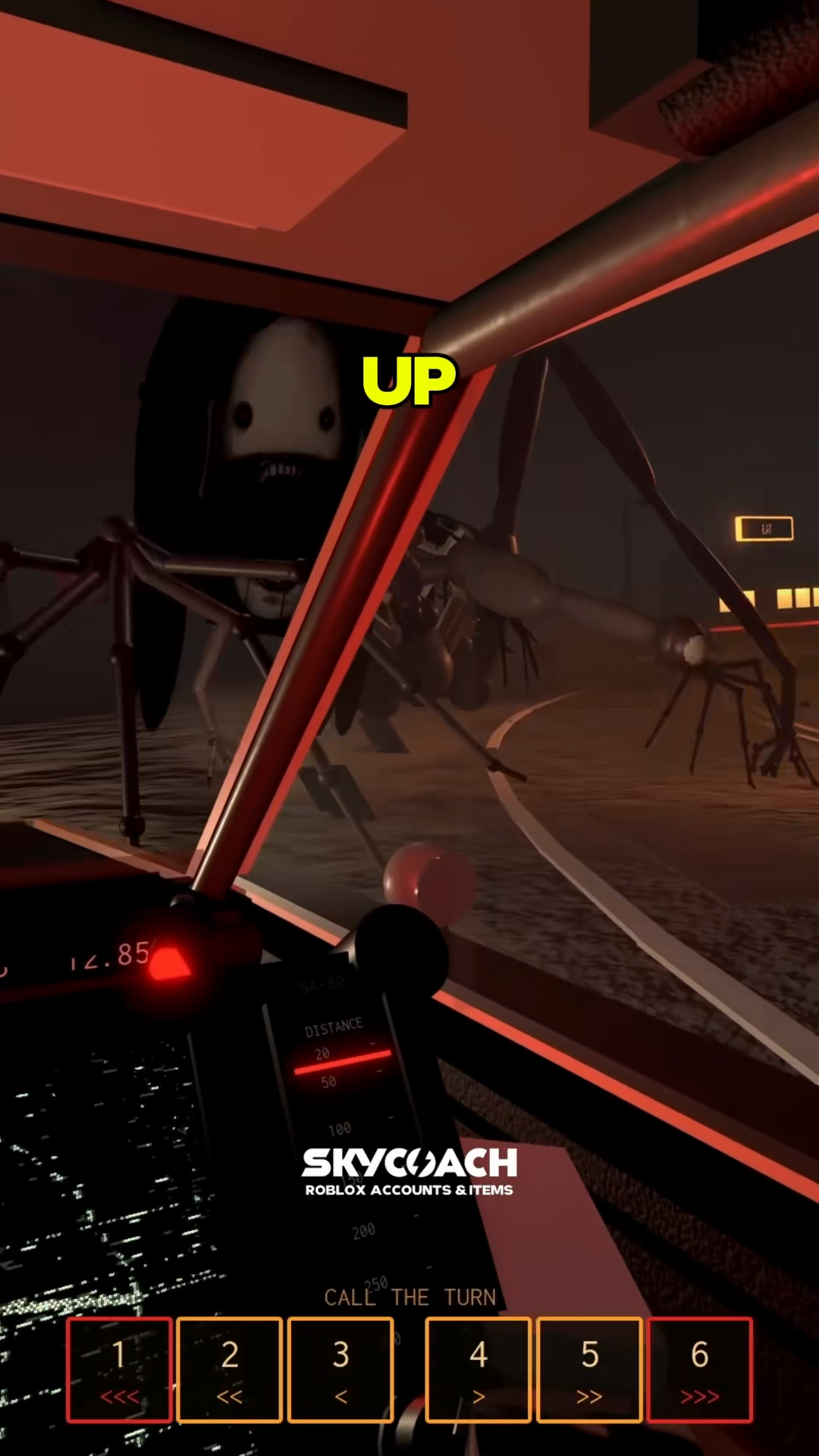
The passenger dashboard contains two primary instruments:
- The DISTANCE Gauge: A circular display marked with intervals at 20, 50, 100, 200, and 250 with a red tracking indicator. The captured display does not establish units or a safe threshold. Do not turn its markings into metres or seconds of lead.
- The CALL THE TURN Keypad: Six numbered buttons positioned directly on the console, labeled with arrow symbols that signal upcoming turns to your driver.
Keypad Layout and Directional Mapping
The six buttons split evenly between left and right turns. Keys 1 to 3 indicate left curves from sharpest to gentlest, while keys 4 to 6 indicate right curves from gentlest to sharpest:
| Key | Symbol Displayed | Curve Severity | Suggested Callout |
|---|---|---|---|
1 |
<<< |
Strong left indication | "Hard Left" |
2 |
<< |
Medium Left | "Medium Left" |
3 |
< |
Gentle Left | "Gentle Left" |
4 |
> |
Gentle Right | "Gentle Right" |
5 |
>> |
Medium Right | "Medium Right" |
6 |
>>> |
Strong right indication | "Hard Right" |
When navigating:
- Position your hand over keys 1 through 6 on your keyboard.
- When the road ahead bends or the console indicates an upcoming turn, press the corresponding button.
- Speak the direction clearly over your voice channel (for example, "Hard left on 1").
- Allow your driver time to tap
Spaceand rotate the car into the slide. For driver drift mechanics, review /guides/controls-and-drifting.
Team Communication and Error Recovery
Clear communication prevents wrecks on high-speed sections:
- Agree on terminology before departing: Decide whether your team uses numbers ("Left 1") or descriptive words ("Hard Left"). Calling out "Left 3" when you mean a sharp hairpin can cause your driver to under-steer.
- State direction first: Saying "Left, hard" gives the driver steering direction immediately.
- Correcting mistakes quickly: If you press the wrong button, announce the correction immediately over voice chat and press the intended key.
- Watching for window warnings: While operating the console, check the side windows. If a red warning banner flashes, remind the driver to hold
F, as explained in /guides/window-shutter.
To see how passenger duties contrast with solo driving, read our /guides/solo-vs-duo overview.